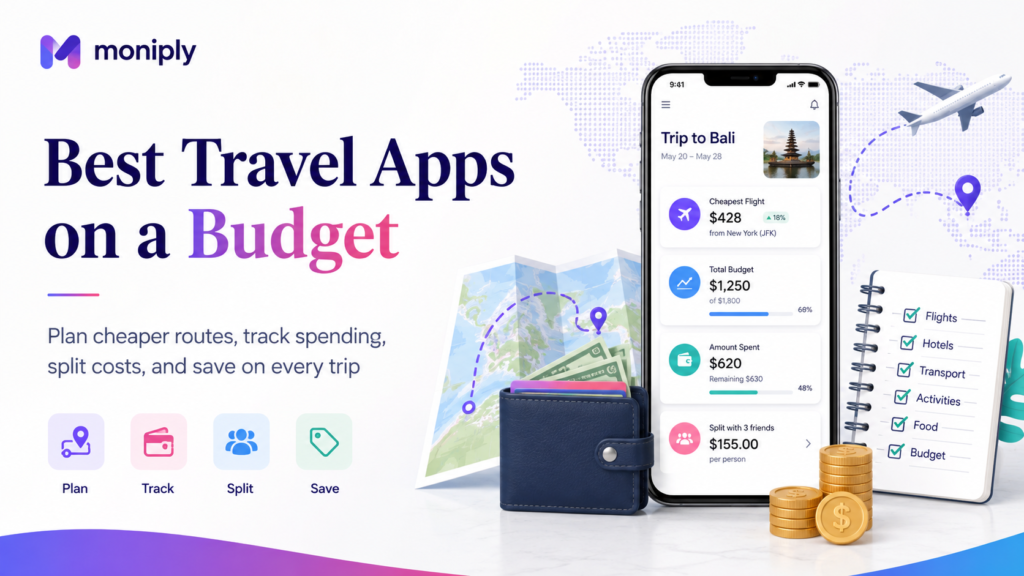
The best travel apps in budget are not the apps with the most features. They are the apps that help you avoid the biggest travel money leaks: expensive flights, confusing routes, overpriced accommodation, roaming charges, currency confusion, group-payment arguments, and untracked daily spending. A smart budget traveler uses a small app stack with a clear job for each tool: plan the trip, compare the cost, track the money, stay connected, and keep backup information offline.
What Makes a Travel App Good for Budget Travelers?
A budget travel app should help you make a cheaper or safer decision before money leaves your account. It should also reduce confusion while you are moving through airports, stations, hotels, restaurants, tourist attractions, and unfamiliar neighborhoods.
The strongest apps usually do one of five jobs: compare options, reveal hidden costs, track expenses, protect access, or make travel logistics easier. An app is not automatically useful just because it is popular. If it does not help you save money, save time, reduce risk, or avoid confusion, it may only add more phone clutter.
Use this guide as an app stack, not as a requirement to install everything. Pick the apps that match your trip style: solo travel, family travel, backpacking, group travel, city breaks, long-term travel, road trips, or international study travel.
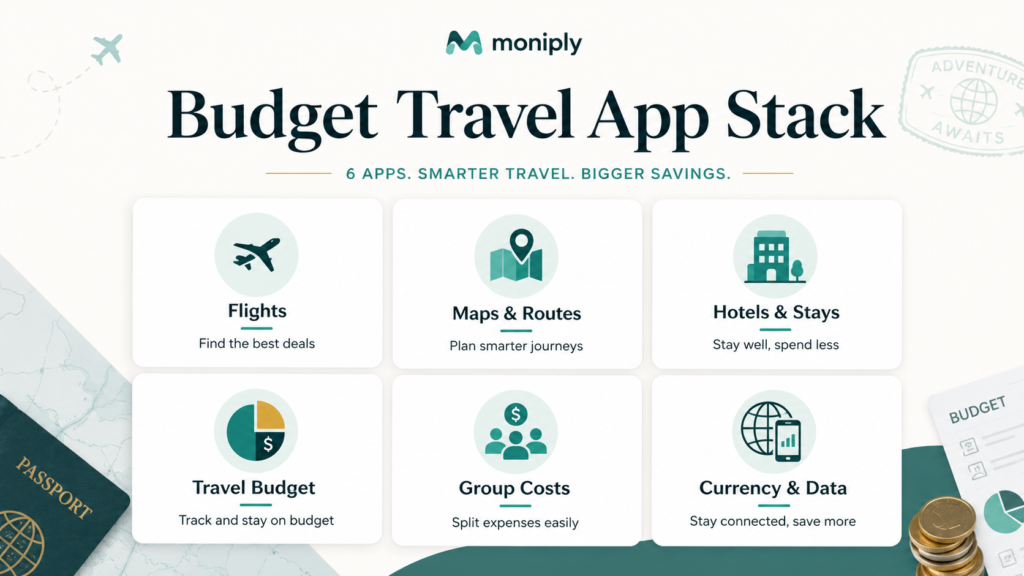
The Budget Travel App Stack: One Tool for Each Money Problem
- Flights and flexible search: use a flight-search app to compare routes, dates, airports, and price alerts.
- Routes and local movement: use route apps to compare trains, buses, ferries, rideshare, walking, driving, and local transit.
- Accommodation: use booking apps to filter by price, location, reviews, amenities, cancellation rules, and total fees.
- Trip budgeting: use a travel expense tracker to monitor daily spending and multiple currencies.
- Group costs: use a bill-splitting app when friends or family share meals, accommodation, transport, and activities.
- Currency and payments: use a currency converter and travel money app to reduce confusion around exchange rates and fees.
- Connectivity: use an eSIM or offline map plan to avoid accidental roaming and data panic.
1. Google Maps: Best Free Everyday Navigation App
Google Maps is one of the most useful free travel apps because navigation errors can become expensive. A wrong airport transfer, missed bus, or unnecessary taxi can easily cost more than a paid app subscription.
Before you leave, download offline map areas for your destination. Google explains that after downloading an area, you can use Google Maps as normal in that area, but offline public transport, cycling, and walking directions may be limited.
Use it for saved places, public transit checks when online, walking directions, nearby supermarkets, laundromats, transport stations, and distance checks before booking accommodation. A hotel that looks cheap may become expensive if every attraction requires a long taxi ride.
2. Skyscanner: Best for Flexible Flight Ideas
Skyscanner is useful when you are flexible about travel dates or destinations. Its help pages explain that users can view monthly prices and search by whole month, cheapest month, or the Everywhere feature when available.
Budget travelers should use flight apps for research, not automatic buying. A low base fare can become expensive after baggage, seat selection, airport transfers, overnight layovers, visa requirements, or inconvenient arrival times.
Use flight search as the first filter, then compare the full trip cost. Sometimes a slightly more expensive flight saves money when it arrives at a better airport or avoids an extra hotel night.
3. Rome2Rio: Best for Comparing Transport Options
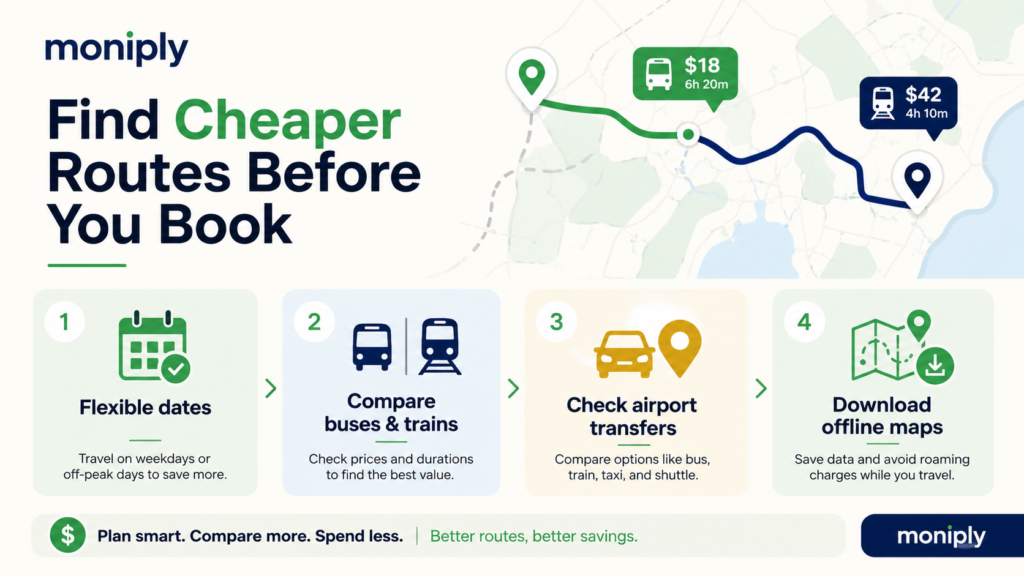
Rome2Rio is valuable when you need to understand how to get from one place to another. Its official site says it can compare options such as plane, train, bus, car, ferry, bike share, driving and walking directions in one search.
For budget travelers, the goal is not always the cheapest route. The cheapest route may take too long, require unsafe transfers, arrive late at night, or create extra accommodation costs.
Use Rome2Rio to discover possible routes, then verify ticket prices, schedules, luggage rules, and cancellation terms directly with the transport provider before booking.
4. Booking.com or Similar Accommodation Apps: Best for Price Filters and Reviews
Accommodation often decides whether a trip stays on budget. Booking apps are useful because they let you filter by price, location, review score, property type, and amenities. The Booking.com app listing describes price filters, verified guest reviews, many property types, and free cancellation on many rooms.
Use the map view carefully. A cheap room far from transport may cost more after taxis, time loss, and daily commuting. Check kitchen access, laundry, breakfast, heating or air conditioning, taxes, deposits, and cancellation terms.
For hostels, compare shared rooms, lockers, kitchen access, late check-in, quiet hours, and transport distance. A cheaper bed may not be cheaper if security, sleep, or location is poor.
5. Wanderlog: Best for Itinerary Plus Budget Planning
Wanderlog is useful if you prefer one space for routes, itinerary, reservations, map planning, group collaboration, and budget notes. Its app listing describes itinerary creation, cost budgeting, flight and hotel organization, map views, and collaboration with friends.
Budget travelers can use an itinerary planner to avoid backtracking. When activities are grouped by area, you may spend less on transport and waste less time.
Use the budget feature for estimates, but still track real spending separately if your trip is long, multi-currency, or cash-heavy.
6. TravelSpend: Best Dedicated Travel Budget App
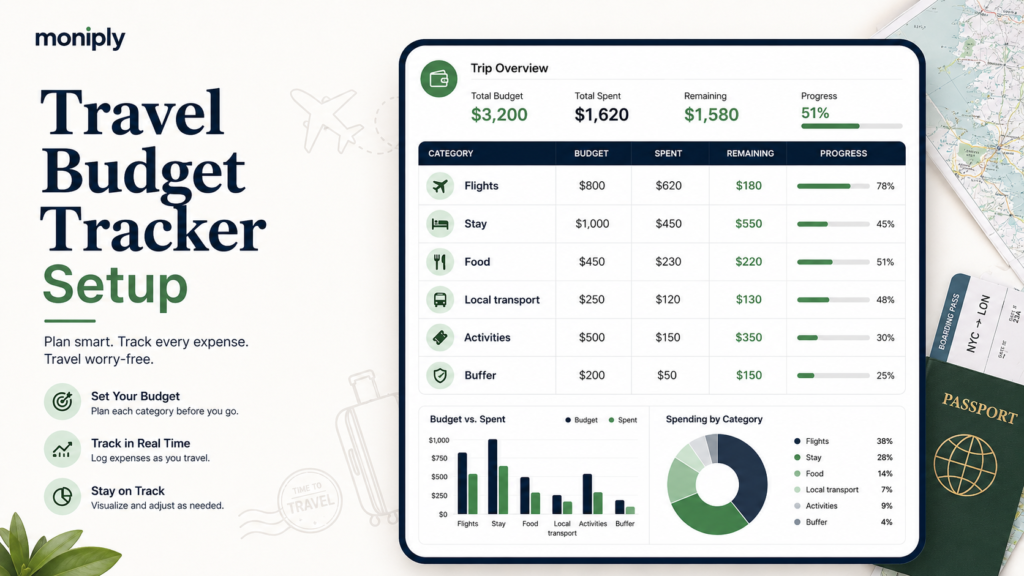
TravelSpend is built specifically for trip budgeting. Its app listing describes adding expenses in any currency, splitting bills, checking balances, and settling debts.
A travel-specific budget app is useful because travel spending often uses mixed payment methods: cash, cards, transfers, shared payments, and several currencies. A normal monthly budget app may not show trip spending clearly.
Use it to set a trip budget, daily average, categories, currency, and shared expenses. Review the budget every evening for two minutes rather than waiting until the last day.
7. Splitwise: Best for Group Trips and Shared Costs
Splitwise is helpful for friends, couples, family groups, and roommates who share expenses. Its official site says it can split expenses with any group, including trips, housemates, friends, and family.
Use it for hotels, shared taxis, groceries, restaurant bills, fuel, tolls, rental cars, and group activity tickets. Add expenses while receipts are still fresh.
For budget travel, the biggest benefit is not only fairness. It also prevents one person from silently carrying too many costs or the group underestimating the total trip spend.
8. Xe: Best Simple Currency Converter
Currency confusion causes overspending because a price may feel small in local currency while being expensive in your home currency. Xe describes its app as a currency converter and exchange-rate tracker.
Use a currency app before paying for taxis, tours, souvenirs, meals, and ATM withdrawals. The goal is not to obsess over every coin. The goal is to understand the real cost quickly.
When comparing prices, remember that the rate you see in a converter may not be the exact rate used by your bank, card, ATM, hotel, or exchange booth.
9. Wise or Similar Travel Money Apps: Best for Multi-Currency Spending
Travel money apps can help some travelers hold, convert, send, or spend money in multiple currencies. Wise states that its app can support international transfers, currency conversion, rate alerts, card controls, and spending or withdrawals in many countries.
This does not mean one app is best for every traveler. Availability, fees, cards, currencies, limits, and regulations vary by country.
Before relying on any travel money app, test it at home, add security settings, understand fees, and keep a backup card or emergency cash.
10. Airalo or Other eSIM Apps: Best for Managing Data Costs
Roaming charges can quietly destroy a travel budget. Airalo’s app listing describes choosing an eSIM plan based on travel needs such as location, fixed data amount or unlimited data, and number of days.
An eSIM can be useful when your device supports it and is unlocked. Check coverage, plan duration, data allowance, hotspot rules, whether calls or texts are included, and how activation works.
Even with an eSIM, download offline maps, tickets, hotel addresses, insurance documents, and emergency contacts before departure.
11. Google Translate: Best Free Translation Backup
A translation app can save money by reducing mistakes with menus, transit signs, payment screens, product labels, and local instructions.
Download languages for offline access where supported. Practice using camera translation and phrase translation before the trip.
Translation apps are helpful but imperfect. For legal, medical, immigration, or safety matters, use official support or qualified human help.
12. Citymapper, Moovit, or Local Transit Apps: Best for City Transport
Local transit apps can reduce taxi reliance, especially in cities with strong metro, bus, tram, or rail networks.
Before arriving, check which transit app is strongest in your destination. Some cities use official transport apps for tickets, passes, service alerts, route planning, and fare caps.
Budget travelers should compare day passes, weekly passes, airport express services, and local buses. A transit pass can be cheaper than repeated single rides.
How to Choose the Best Travel Apps for Your Trip
Start with your biggest likely expense: flights, accommodation, transport, food, mobile data, activities, or group costs.
Install one app per problem. For example, Skyscanner for flight ideas, Google Maps for navigation, Rome2Rio for route research, Booking.com for stay filters, TravelSpend for daily trip budget, Splitwise for shared costs, Xe for currency conversion, and Airalo for data planning.
Remove apps that duplicate the same job unless you actively use both. Too many apps create decision fatigue and notification clutter.
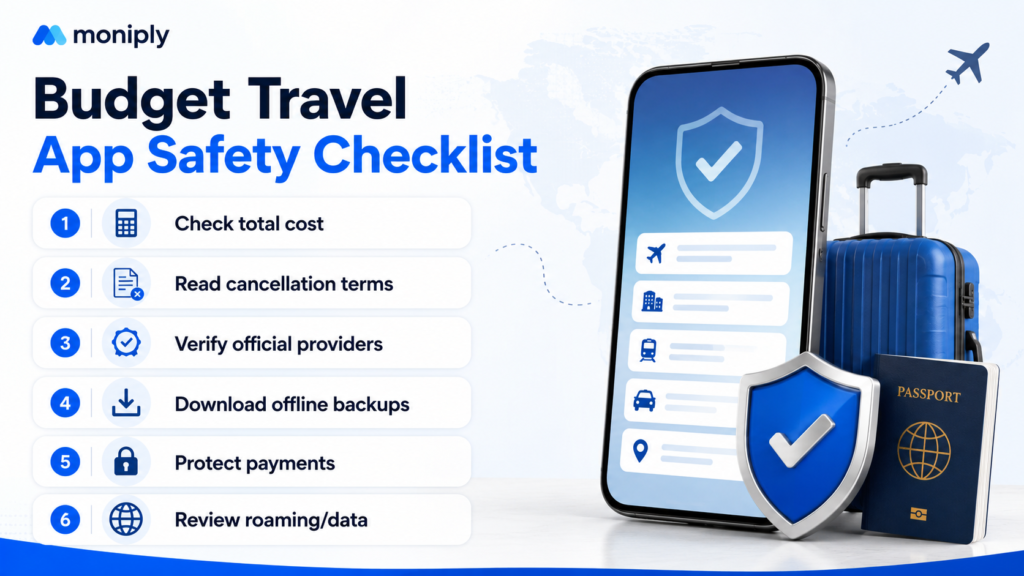
Budget Travel App Safety Checklist
- Check the total cost, not only the headline price.
- Read cancellation terms before booking.
- Verify transport schedules directly with providers before a high-stakes connection.
- Download offline maps, tickets and booking confirmations.
- Use multi-factor authentication and device locks on payment and email apps.
- Keep a backup payment method separate from your main wallet.
- Do not store every travel document only inside one app.
- Review bank transactions during the trip.
- Avoid public Wi-Fi for sensitive payment actions unless you know how to protect your connection.
- Keep emergency contacts and addresses accessible without mobile data.
A Simple 3-Day Setup Before You Travel
- Three days before departure: download offline maps, install the core apps, save hotel and airport addresses, and check phone data options.
- Two days before departure: add booking confirmations, check baggage rules, test payment cards, and set budget categories.
- One day before departure: screenshot essential confirmations, check local transport from airport to accommodation, download language packs, and share your emergency plan with a trusted contact.
Best App Combinations by Traveler Type
- Solo budget traveler: Google Maps, Skyscanner, Rome2Rio, Booking.com, TravelSpend, Xe, Airalo, Google Translate.
- Group trip: Google Maps, Wanderlog, Splitwise, Rome2Rio, Booking.com, Xe, a local transit app.
- Backpacker: Hostelworld or Booking.com, Rome2Rio, Google Maps offline, TravelSpend, Xe, Google Translate, Airalo.
- Family travel: Booking.com, Google Maps, Rome2Rio, Splitwise if multiple adults pay, Google Translate, local transit app.
- Digital nomad: Google Maps, Wise or similar, Xe, Airalo, TravelSpend, Wanderlog, Google Translate, and a document-backup app.
Common Mistakes Budget Travelers Make With Apps
- Installing too many apps and using none consistently.
- Trusting a route estimate without checking official schedules.
- Booking the cheapest stay without checking transport cost.
- Forgetting data, roaming, baggage, ATM, and cancellation fees.
- Tracking expenses only after the trip is already over.
- Letting one person pay all shared costs without recording them.
- Using currency conversion casually and ignoring card or ATM fees.
- Relying on mobile data for every booking, map and confirmation.
Use Moniply Before and During the Trip
Before booking, estimate the full cost with the Travel Budget Calculator, test affordability with the Budget Calculator, save for the trip with the Savings Goal Calculator, and track the final plan in the Budget Dashboard.
Related Moniply Guides
- Travel Budget Guide
- Study Abroad Budget for Gen Z
- How to Track Expenses
- Emergency Relocation Budget
- How to Start a Savings Plan
- Free Money Tools
- Moniply App
Frequently Asked Questions
What is the best travel app for budget travelers?
There is no single best app for every trip. A good budget stack usually includes navigation, flight search, accommodation search, expense tracking, currency conversion, and group-cost splitting.
Which app helps track travel expenses?
TravelSpend is built for trip expenses and multiple currencies. Some travelers also use spreadsheets, general budgeting apps, or Moniply’s Budget Dashboard for planning before departure.
Which app is best for splitting group trip costs?
Splitwise is a popular option for group trips because it helps track who paid and who owes what. Record expenses as they happen.
Are free travel apps enough for budget travel?
Often yes. Many free apps are enough for research, maps, translations, and basic planning. Paid upgrades may help if they save more than they cost or reduce risk.
Should I book inside travel apps?
Sometimes. Compare total costs, cancellation rules, service fees, baggage terms, and provider policies before booking. For critical transport, verify directly with the operator.
How do travel apps help save money?
They can reveal cheaper dates, routes, accommodation areas, currency costs, shared expenses, local transport options, and daily spending patterns.
What apps should I download before traveling abroad?
At minimum, download offline maps, a translation app, a currency converter, booking confirmations, a travel budget tracker, and any local transit or eSIM app needed for your destination.
Is this article financial or travel advice?
No. It provides general educational information. App availability, prices, routes, travel rules, safety conditions, and fees change frequently, so verify before booking or paying.
Final Takeaway
The best travel app setup is simple: one app to compare routes, one to book smarter, one to track trip spending, one to split shared costs, one to convert currency, and one plan for data and offline backups. A small app stack used consistently can protect your budget better than dozens of apps you forget to open.
Disclaimer: This article is for general educational purposes and is not financial, travel, legal, safety, banking, insurance, tax, cybersecurity, or immigration advice. App availability, prices, rules, routes, coverage and fees change frequently. Verify details before booking or paying.
Sources and Further Reading
- Google Maps Help – download areas and navigate offline
- Skyscanner Help – best prices, whole month and Everywhere search
- Rome2Rio – compare transport options
- Wanderlog App Store listing – itinerary, budget and collaboration features
- TravelSpend Google Play listing – travel budget app features
- Splitwise official site – split group expenses
- Xe app page – currency converter and global money transfer app
- Wise App Store listing – multi-currency app and card features
- Airalo App Store listing – eSIM travel data app
- Booking.com App Store listing – price filters, reviews and app features
Turn this article into a monthly budget
Start with income, fixed costs, flexible spending, and one savings target. Then review your numbers in the dashboard.
Get the Moniply AI Finance Coach app
Moniply is building an Android app that turns budgeting, savings, debt payoff, and money decisions into simple AI-guided next steps.

Author: M.Adil
Finance professional and Moniply founder. Moniply helps everyday people use simple tools, practical guides, and AI-style money coaching to budget, save, and make calmer financial decisions.